 by
What is internal site search, and why should I care about it?
Internal site search is the search box on your own website: the tool people use to find a report, an event, or a service without leaving your site. Done well, it uses filters, smart sorting, and the right search engine behind the scenes to show the most useful results first.
Too often, site search is an afterthought – but it’s actually a star player in a smooth user journey. Sure, Google does search really well. But you don’t want to rely on Google to send people to content deep in your website, especially as more searches end in an AI answer rather than a click. Making sure you’re king of your own castle simply takes a fresh mindset.
Site search best practices
Every website is different. Your website is different. That’s why off-the-shelf search rarely cuts the mustard – something we’ve all experienced as users, vainly sifting through a load of irrelevant search returns.
In theory, good search is simple: type in a few keywords and you get a handful of the most relevant pages, complete with clear title and summary. But what happens when the keywords aren’t specific enough? Or the site is packed with similar content? Or terminology and search terms might vary? Who has the time to click through 60 pages of search returns?
These are the rules of thumb we start with:
- Narrow, don’t expand. Return pages that match the keywords and the chosen filters, so results get more focused with every click.
- Reduce dead clicks. Only show filter options that will return results. Otherwise, what’s the point?
- Show the number. Tell people how many results each option will give, so they can decide whether to filter further.
- Sort sensibly. Sort by relevance by default, with an option to see the latest content first.
- Use pagination, not endless scrolling. It’s faster for people and better for search engines than lazy loading.
- Make results worth clicking. A title and summary at a minimum, plus useful context such as topic tags, author, date, and content type.
- Make it snappy. We want our results to be quick and accurate, so choose the right backend for the search requirements. PostgreSQL is a great choice for most situations or Elasticsearch/AWS OpenSearch if you need more heavy lifting.
- Add autocomplete where you can, so suggestions appear as people type.
What is faceted search?
Faceted search lets people narrow results using attributes, or “facets”, such as content type, topic, department, audience, author, location, or year. Most websites already group content in these ways, so they translate naturally into filters.
It matters most on content-heavy websites – think tanks, research organisations, universities, and large charities – where a single keyword can match hundreds of pages. Instead of scrolling through 60 pages of results, people pick a topic, a region, and a date range, and the list shrinks to what they actually need.
At Cursive, we’ve developed a toolkit to tailor faceted search to each website, from simple filters to more complex set-ups, depending on your content.
A faceted search example: 16,000 research pages at ODI Global
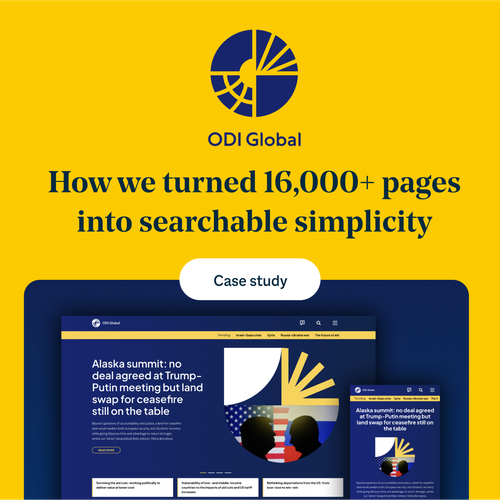
One of our favourite faceted search examples is our client ODI Global’s. One of the world’s leading think tanks, its old search was broken, piling results on with every click, and more than 16,000 pages of research were fading into obscurity.
We rebuilt the internal site search from the ground up. Now people can filter by topic, region, content type, and publication date, with each choice narrowing the results until they find exactly what they need. Alongside pages that load eight times faster, it’s made ODI Global’s research far easier for MPs, UN policymakers, and journalists to find.
How to improve internal site search
Choose the best site search engine for your website
The best site search engine is the one that fits your content, your traffic, and your budget. Behind every search box is an internal site search engine that decides which pages match and in what order.
On Wagtail websites, there are three main options: Wagtail’s built-in database search (PostgreSQL full-text search) suits most websites, including many with thousands of pages, and there’s nothing extra to host or pay for. Elasticsearch suits very large or complex websites that need fine control over relevance, lots of filters, or multiple languages, but it’s another service to host, update, and pay for. OpenSearch does the same jobs as Elasticsearch, with a fully open-source licence.
OpenSearch vs Elasticsearch: which is best?
OpenSearch began as an open-source fork of Elasticsearch, so the two work in similar ways. For most organisations, the choice comes down to where it’s hosted, licensing, and support – not features.
Our rule of thumb: start with Wagtail’s built-in search, and move to a dedicated engine only when your content or traffic needs it.
Take control with promoted results
We often hear from clients that they see search as a bit of a black box. That’s totally understandable; it sometimes seems mysterious why certain results appear at the top of a listing, while expected content is left out or lurks at the bottom of the pile.
“A black box is defined as a system that produces results without the user being able to see or understand how it works”
Search can be complex, and the algorithms that determine the relevance of results are based on many factors. These can include the frequency of keywords or phrases or the boost parameters (applying more weight to certain elements) that have been used at index time.
Sometimes the best page you can offer for a keyword isn’t the one the search engine picks. For example, maybe the algorithm wants to prioritise the technical specification page above the product landing page but that’s unlikely to be what the user wants to see.
Fortunately, there’s a solution in the shape of promoted search functionality. For any given keyword combo, you can manually pick and prioritise which pages are returned, putting you back in control. Sometimes humans know better than machines.
Learn from what people search for
As well as the benefits for users, putting search front and centre – both physically on the website and in terms of your own priorities – means users and traffic will be directed through it. This means we can get insights into how people use the website, what sort of content they’re looking for and what the popular search terms are.
Knowing these favourite terms means you can track them over time, report on them and spot trends. Plus, you can feed them back into the website as suggested search terms, to help others find popular content.
Add search to sections, not just the whole site
As well as site-wide search – returning content from all sections of a website across all the different content types – more localised search can be useful too.
A dedicated search function that focuses exclusively on one section generally follows the same rules as its site-wide big sister, but because it’s specific to a subset of content types, it may need bespoke categorisation, filtering and sorting methodologies.
For example, when we’ve built sites that include a publications library, with both internal and external articles, we’ve sometimes created a specific publications search function, searchable across title and abstract, alphabetically, and by date and relevance.
The details will depend on your unique content, but if your website is home to large datasets, it’s worth considering adding search at section level.
Design the search bar and results page
Put the website search bar where people expect it, usually at the top of every page, and make it big enough to type in on a phone. On the search results page, show the number of results, clear filters, and enough detail for people to choose the right link.
Is your site search working as hard as it could?
If your website is bursting with useful pages and content, great search is essential. And that takes thought. But taking time to consider the type and amount of content you have, as well as how users might think about searching for it, is well worth it.
Not only are your users happier and more likely to return, you can use those juicy analytics to glean valuable insights into what really matters to them.
So, whether you’re starting from scratch or upgrading, a solid site search feature should be the beating heart of your navigation and user journeys.