 by
Nonprofit website management can be stressful. But it doesn’t need to be.
Start with five things: a clear purpose, easy ways for people to act (donate, sign up, volunteer), accessible design that works for everyone, a content management system your team can run without a developer, and ongoing care after launch.
Get those right and your website does real work for your cause. Get them wrong and it becomes one more thing to firefight.
A quick checklist of nonprofit website best practices
- Your homepage says who you help and how, in one sentence
- Donate, sign up, and volunteer are one click from every page
- It meets WCAG 2.2 AA and works with keyboards and screen readers
- Pages load quickly on a phone
- Your team can update content without a developer
- Security updates happen routinely, not after a scare
- Every page has a clear next step
- Someone owns the website after launch, with a plan for improvements
What a ‘good’ nonprofit website really looks like
Your website isn’t just there to describe your mission – it’s there to deliver, support, and scale it. Before we create a website for any of our nonprofit clients, we make sure it serves three groups: the organisation, the users, and the team.

For your organisation
- Helps you deliver your mission, not just talk about it
- Saves staff time with simple, human workflows
- Scales with your growth, without surprise rebuilds
- Delivers measurable outcomes your board will care about

For your users
- Fast, accessible, and works beautifully on every device
- Builds trust through reliability, security, and sustainability
- Clear pathways to action: donate, sign up, share, learn more
- Content that’s easy to find, read, and remember

For your team
- Empowers editors with a content system that makes sense
- Evolves gracefully without a rebuild every few years
- Comes with steady, proactive digital care you don’t have to chase
If your current setup feels more like a burden than an asset, something’s off. The good news is, it’s fixable.
Choosing the best CMS for nonprofits
Your content management system (CMS) is far more than a technical decision – it shapes everything that follows. Your publishing workflow, your maintenance costs, your team’s sanity levels at 4pm on a Friday.
And yet, many nonprofits end up sticking with platforms that weren’t built for how they work. What begins as we already know this system can quickly become we’re now managing 40+ plugins, getting weekly security alerts, and our publishing process takes six clicks per page because we’ve Frankensteined the thing to death.
Familiarity is lovely. But it’s not worth it if your website fights you every step of the way.
Genuinely flexible, or flexible until it isn’t?
Every CMS claims to be flexible. But there’s a difference between “yes, we can technically do that (with an army of plugins)” and “yes, that’s just how this works”.
Flexibility built from endless bolt-ons becomes a Jenga tower of dependencies. One plugin updates, another breaks, and suddenly your donation form has disappeared.
We’ve tried pretty much every CMS to test what works best for nonprofits. The answer is Wagtail, built on Django – tools we’ve mastered because they’re built to match the pace, purpose, and pressure of our clients’ work.
What’s the deal with Wagtail?
We love Wagtail because it’s designed to shape around your workflows – not the other way round. Whether we’re simplifying complex content libraries, crafting nonprofit donation website flows, hosting global membership spaces, or keeping research repositories secure, it always delivers:
Wagtail makes non-techy teams feel confident and at ease, knowing exactly what their edits will do without breaking anything. Inside the CMS, different people can do different things without getting in each other’s way. Pages can be built using shared content blocks – design and structural decisions made once, not rebuilt from scratch every time – so all content stays consistent.
While WordPress powers a massive portion of the web and can be the right CMS for some (see our Wagtail vs WordPress comparison for more on this), its sheer popularity can often be a double-edged sword for nonprofits. Navigating an endless maze of third-party plugins, frequent security patches, and distracting features can easily drain a lean organisation’s time and budget.
Wagtail offers a refreshing alternative by focusing on stability and purpose over popularity. The CMS has grown 30% year-on-year and now powers up to 20,000 sites worldwide. As Wagtail’s core team states: “We don’t have a responsibility to any shareholders to make Wagtail go up and to the right.“ You have peace of mind that it’s built for the long haul, not flashy trends.
Need a mammoth research platform to load tens of thousands of pages, eight times faster? We did it for ODI Global. Migrating 1,500 pages and 1,300 content modules from a rigid CMS while keeping a unique brand identity intact? We did just that for London-based nonprofit art organisation, Artangel. These aren’t one-off cases. They’re just Wagtail – and Wagtail specialists – doing our thing.
Nonprofits need to stand out in a crowded space. A consistent brand, mission, vision, and values aren’t just decorative – they’re crucial for turning visitors into supporters, and supporters into advocates. With Wagtail, there are no themes to squeeze into or constraints on look and feel. Everything is custom-designed and crafted to your brand guidelines, so your platform feels distinctly yours – not like every other nonprofit donation website out there.
Oh, and you’re in great company: Wagtail is the CMS of choice for the NHS, NASA, Oxfam, and Google.

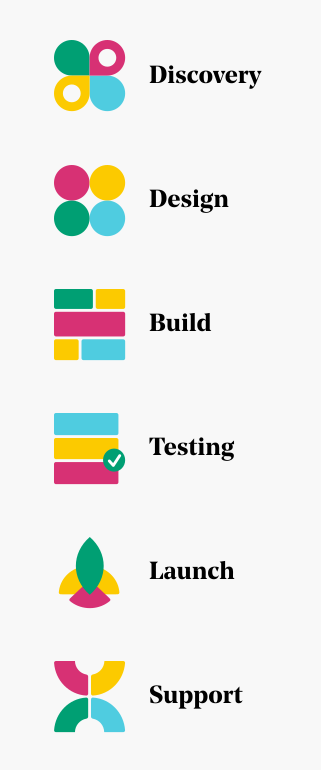
Nonprofit website management after launch
We often hear from clients who’ve been let down by digital agencies in the past. Agencies that treat launch day like it’s the finish line. Corks pop, invoices ping, and then… tumbleweed.
But your website is a living thing. Content evolves, user needs shift, security threats emerge, and that quick fix from six months ago starts causing problems elsewhere. Without a plan, nonprofit digital teams end up firefighting instead of improving: waiting weeks for tickets, needing a developer for simple changes, and wondering what will break next.
Good nonprofit website management means:
- One person on your team owns the website
- Software and security updates happen routinely
- Key journeys, like donating, are checked regularly
- A partner checks in proactively, so issues are caught before they become emergencies
Nonprofit web services that make proactive digital care part of the partnership will help you catch issues before they become emergencies. Performance top-ups keep your platform fast. Security patches happen without drama. And when you need something, they’re already in your corner, ready to go.
Make it accessible and inclusive
If your website isn’t inclusive, it’s at odds with what you stand for, and you could be excluding supporters, volunteers, donors, and beneficiaries before they’ve had a chance to engage with your work.
Accessibility isn’t just a nice-to-have in nonprofit website design – it’s also expected by law. Under the Equality Act 2010, organisations mustn’t put disabled people at a disadvantage, and WCAG 2.2 AA is the recognised standard to aim for. Public sector bodies are legally required to meet it, and the European Accessibility Act, in force since June 2025, is raising expectations further.
According to the 2026 WebAIM Million report, 95.9% of the top one million homepages have detectable WCAG failures – and nonprofits are no exception. Get it right, and you’re part of the rare 4.1% that does.
Bake your brand in creatively
Nonprofits aren’t just competing with other causes. They’re up against everything else fighting for your audience’s attention. To stand out, your brand needs to be built into the bones of your website, so people feel what you stand for before they’ve read a word. The colours, the copy, the small details that delight without distracting: thoughtful nonprofit website design draws people deeper into your cause.
Find a digital partner to share the load
Whether you’re launching a new website, improving what you’ve got, or rescuing a CMS that’s grown arms and legs, the partner you choose shapes everything that follows. When you’re comparing nonprofit web services, here’s what to look for:
Red flags:
- Ghosts after launch. If they vanish once the site’s live, you’ve got a vendor, not a partner.
- Pushes rebuilds when improvements would work. Sometimes, a rebuild is needed. But if every conversation ends with “you need to start from scratch”, get a second opinion.
- Treats support as an afterthought. Fixing things when they break isn’t digital care, it’s firefighting with a price tag.
Green flags:
- Proactive, not reactive. They spot issues before you do and sort them without fuss.
- They speak your language. They already understand your world: mission-driven pressures, compliance needs, governance processes. You don’t need to explain what an impact report is for the third time.
- Long-term client relationships. If their clients stick around for years, that tells you something.
Ultimately, your agency should make it easy – putting thought into the best ways to make digital experiences work for you, your team, and the people you serve.
At Cursive, we’re web-building OGs. From specialist hosting requirements to mobile app development for nonprofits, we’ve been making and maintaining digital platforms built for people and purpose for almost 20 years. So, whatever problem you’re facing, it’s likely we’ve solved it before. And if we haven’t, we have a delightful open-source community behind us. It’s all figure-out-able – and we’re here to make it simple.